
XAML Regions extension by Jacob Johnston helps you organize xaml code by grouping relevant elements and speeds up navigation by collapsing less important blocks of markup. You can create a region with two comment lines containing region/endregion keywords and then collapse and expand it as needed:
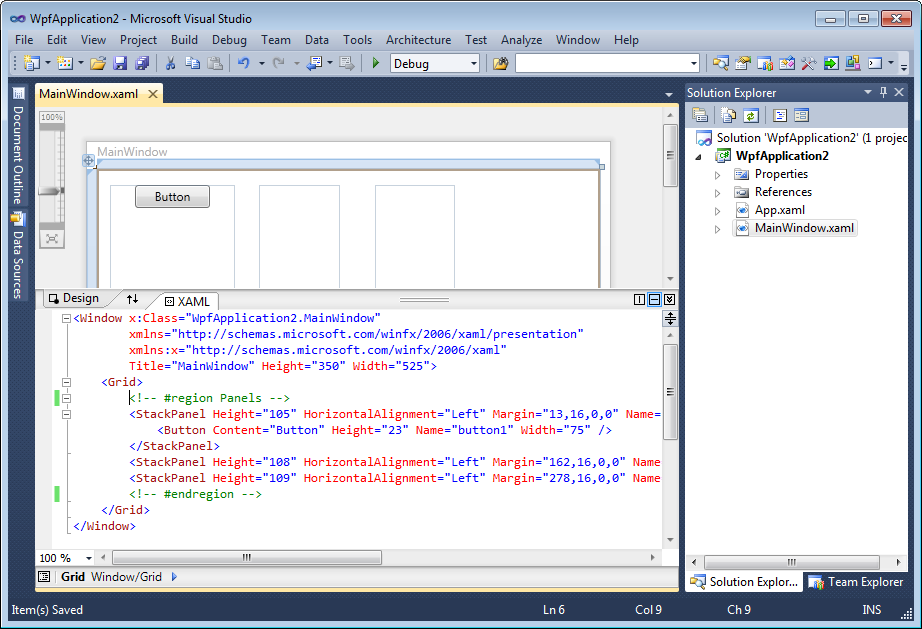
Region definition in comments for XAML editor in Visual Studio 2010
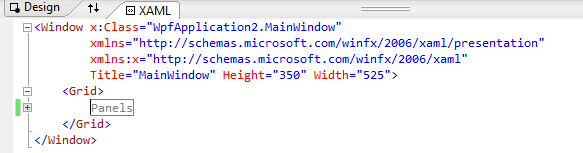
Collapsed region in XAML editor
You can use any convention for the region keyword in a comment (region, Region, #Region), same with endregion (endregion, End Region, #EndRegion). The text after the region keyword forms visible region description.
The only suggestion I have for XAML Regions is to add a context menu command to the XAML editor to surround selection with a region (or add two commands to create and delete the region).
You can download the free XAML Regions extension for Visual Studio 2010 from Visual Studio Gallery.


 Making Visual Studio perfect