Visual Time Spent v1.2 adds support for Visual Studio 2017

Visual Time Spent automatically tracks your time spent working on solutions, projects and documents in Visual Studio IDE. It allows you to generate reports to see overall time spent and what activities took most time.

v1.2 adds support for Visual Studio 2017 with a separate integration module and stops support for Visual Studio 2005/2008.

Download links: main installer, VisualTimeSpent2017.vsix.

Posted in Vlasov Studio tools | Tagged , | 3 Comments

Runtime Flow v1.7 adds Visual Studio 2017 support

Runtime Flow in real time monitors and logs function calls and function parameters in a running .NET application and shows a stack trace tree, with no instrumentation or source code required for monitoring.

v1.7 adds support for Visual Studio 2017 with a separate integration module.

Download links: main installer, RuntimeFlow2017.vsix.

Posted in Vlasov Studio tools | Tagged | Leave a comment

Text Sharp v2.1 adds support for Visual Studio 2017

Text Sharp is a free extension for Visual Studio that lets you adjust text clarity in the IDE.

v2.1 adds support for Visual Studio 2017.

Download the installer.

Posted in Vlasov Studio tools | Tagged , | 2 Comments

Continuous Formatting v1.6 adds support for VS 2017 and Task Canvas

Continuous Formatting extension automates C# and C++ code formatting in Visual Studio. It removes the necessity to format code manually, arranging code continuously as you type and make changes.

v1.6 adds support for Visual Studio 2017, formatting of Task Canvas code blocks and fixes an InvalidCastException for ReSharper templates.

Download the installer.

Posted in Vlasov Studio tools | Tagged , | Leave a comment

Task Canvas v1.5 adds notes and task sharing

The Task Canvas extension lets you edit multiple methods from different classes in one window and quickly switch between document groups.

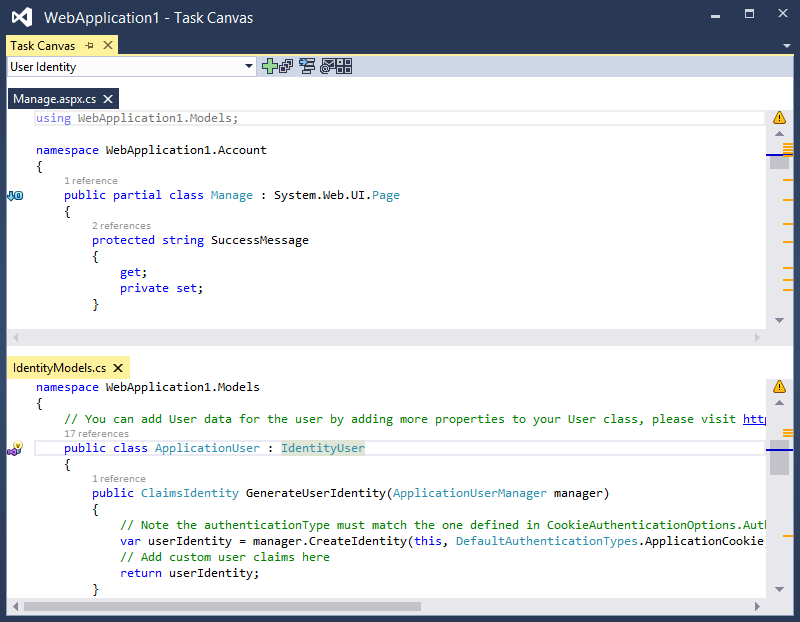
v1.5 adds notes for free form comments, instructions or temporary text edits; task sharing with team members; drag and drop code blocks reordering; support for the latest Visual Studio 2017 RC build:

See the full what’s new list. Download the installer.

Posted in Vlasov Studio tools | Tagged , , | Leave a comment

Visual Commander v2.6 adds support for VS 2017 RC

Visual Commander is a freemium extension for Visual Studio 2012+ allowing you to automate repetitive tasks in the IDE.

v2.6 adds support for Visual Studio 2017 Release Candidate. See the full what’s new list. Download the installer.

Posted in Vlasov Studio tools | Tagged , | Leave a comment

Task Canvas v1.4 adds support for ReSharper

The Task Canvas extension for Visual Studio 2015 lets you edit multiple methods from different classes in one window and quickly switch between document groups.

v1.4 improves embedded editor conformance making it now compatible with ReSharper (in file blocks), standard find operations and scrollbar navigation:

See the full what’s new list. Download the installer.

Posted in Vlasov Studio tools | Tagged , | Leave a comment

Automate SSMS 2016 with Visual Commander

Visual Commander v2.5 adds supports for SQL Server Management Studio 2016 (July v13.0.15500.91 and newer releases):
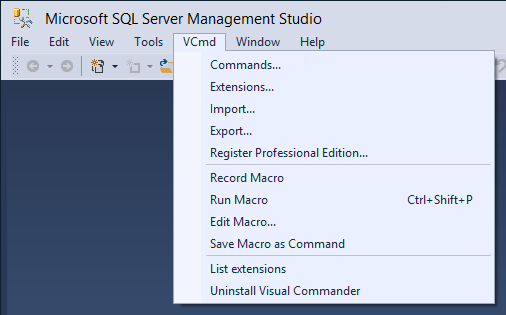
With Visual Commander you can record a text editing macro and play it back multiple times. You can save and edit the recorded macro as a C# or VB command to add more functionality to it.

You can create commands to quickly insert predefined or generated text to the editor, for example Insert current date and time.

You can access SSMS automation API not available with standard commands and controls. For example, SSMS doesn’t include an extension manager, but you can List installed extensions and you can uninstall an extension (Visual Commander) with the following C# command (References – Microsoft.VisualStudio.ExtensionManager):

public class C : VisualCommanderExt.ICommand
{
    public void Run(EnvDTE80.DTE2 DTE, Microsoft.VisualStudio.Shell.Package package) 
    {
        System.IServiceProvider serviceProvider = package as System.IServiceProvider;
        Microsoft.VisualStudio.ExtensionManager.IVsExtensionManager em =
           (Microsoft.VisualStudio.ExtensionManager.IVsExtensionManager)serviceProvider.GetService(
                typeof(Microsoft.VisualStudio.ExtensionManager.SVsExtensionManager));
	
        Microsoft.VisualStudio.ExtensionManager.IInstalledExtension vcmd = 
            em.GetInstalledExtension("e4b1fd83-b59d-41ca-a21d-19b10230ece5");
        em.Uninstall(vcmd);
        System.Windows.MessageBox.Show(vcmd.Header.Name + " has been uninstalled.");
    }
}

You can subscribe to internal SSMS events and perform automatic tasks with Visual Commander extensions. For example, AutoSave code when SSMS loses focus.

Please, share your ideas and code to automate repetitive SSMS tasks in comments.

Download link: Visual Commander for SSMS 2016 v2.5.

Posted in Vlasov Studio tools | Tagged | Leave a comment

Task Canvas v1.3 adds more options and commands

The Task Canvas extension for Visual Studio 2015 lets you edit multiple methods from different classes in one window and quickly switch between document groups.

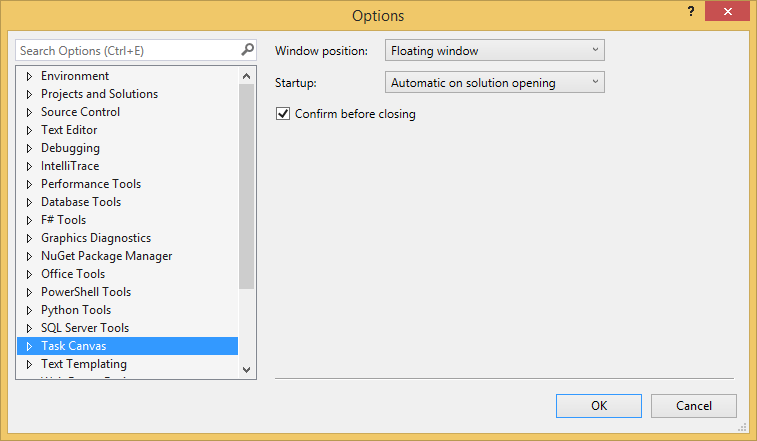
v1.3 adds several Task Canvas window options, commands to open and activate the Task Canvas window, support for project reloading:

See the full what’s new list. Download the installer.

Posted in Vlasov Studio tools | Tagged , | Leave a comment

Visual Commander v2.4.1 adds support for C# v6.0

Visual Commander is a freemium extension for Visual Studio 2010+ allowing you to automate repetitive tasks in the IDE.

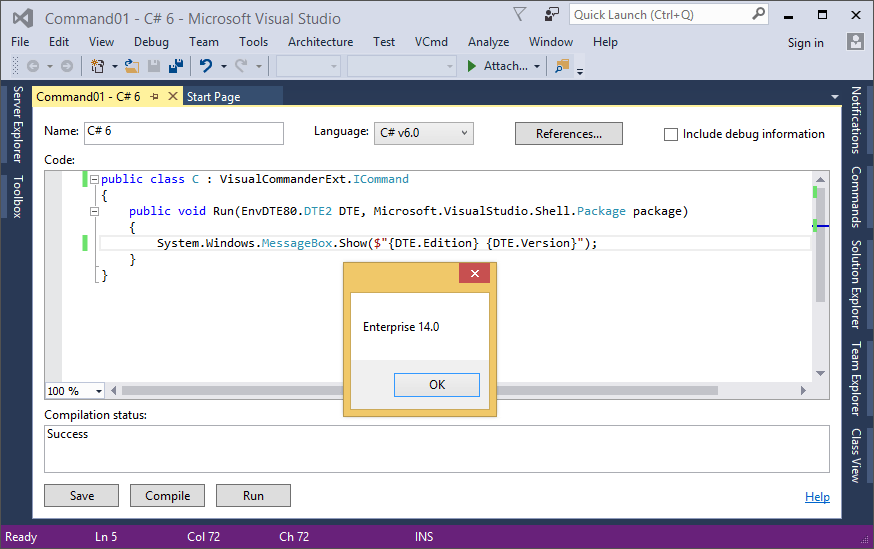
Visual Commander Professional v2.4.1 adds the option to select C# v6.0 compiler in Visual Studio 2015 (the free edition supports only C#/VB v4.0) and use features like string interpolation in your commands:

In Visual Studio “15” you can use C# v7 features like local functions:

Download the installer.

Posted in Vlasov Studio tools | Tagged , , | Leave a comment