Fix File Encoding v1.4.0 adds support for Visual Studio 2019

Fix File Encoding is a free extension that prevents Visual Studio from adding BOM to UTF-8 files.

v1.4.0 adds support for Visual Studio 2019 Preview 1.1, stops support for Visual Studio 2012/2013 and changes the extension loading type to background load.

Download the installer.

Posted in Vlasov Studio tools | Tagged , | Leave a comment

Visual Commander v3 adds support for Visual Studio 2019

Visual Commander is a freemium extension for Visual Studio 2015+ allowing you to automate repetitive tasks in the IDE.

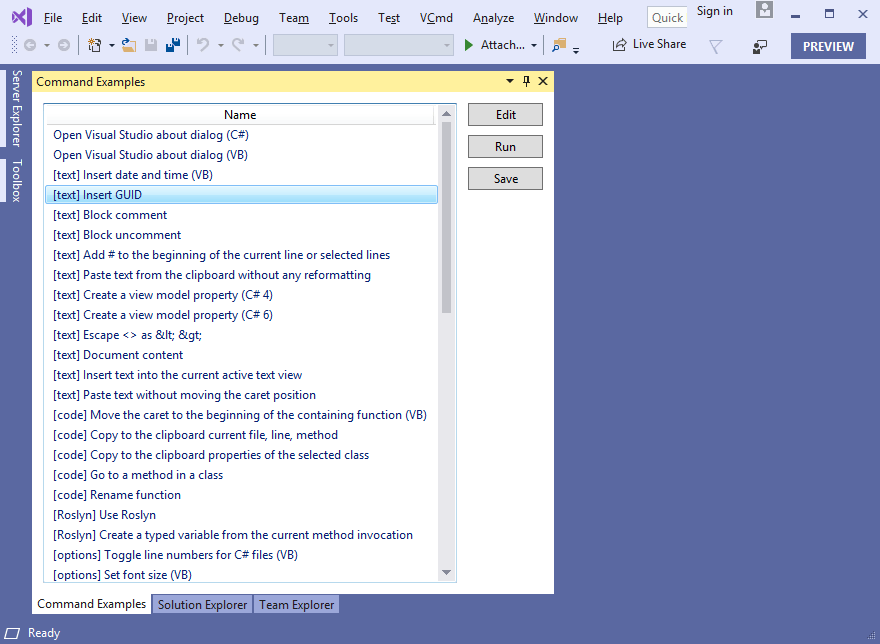
v3 adds support support for Visual Studio 2019 Preview 1.1:

See the full what’s new list. Download the installer.

Posted in Vlasov Studio tools | Tagged , | Leave a comment

Smooth Caret v1.5.2 improves caret visibility in Visual Studio 2017

The Smooth Caret extension adds smooth caret movement animation for text editors in Visual Studio. It looks similar to the smooth typing feature in Microsoft Office 2013.

v1.5.2 makes sure the caret is visible after an animation completes in Visual Studio 2017.

Download the installer.

Posted in Vlasov Studio tools | Tagged , , , , | Leave a comment

Continuous Formatting v2 improves convenience and performance

Continuous Formatting extension automates C# and C++ code formatting in Visual Studio 2017/2015. It removes the necessity to format code manually, arranging code continuously as you type and make changes.

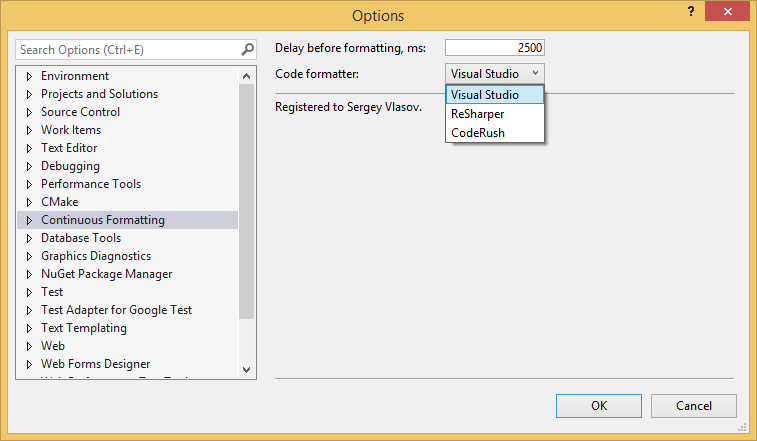
v2 no longer interrupts an active code completion session, stops support for Visual Studio 2012/2013, changes default delay before formatting from 4.5 seconds to 2.5 seconds, adds the “Delay before formatting” option:

Download the installer.

Posted in Vlasov Studio tools | Tagged , , | Leave a comment

Task Canvas v1.8 adds individual code block size controls

The Task Canvas extension lets you edit multiple methods from different classes in one window and quickly switch between document groups.

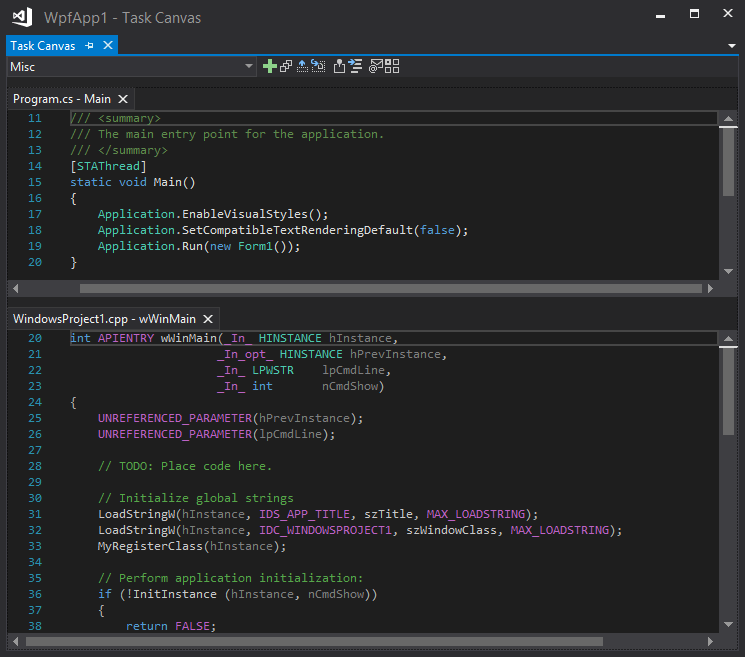
v1.8 adds maximize, minimize and restore buttons for each code block and the “Add Note” dialog to choose a note name and note syntax coloring:

See the full what’s new list. Download the installer.

Posted in Vlasov Studio tools | Tagged , , | Leave a comment

Task Canvas v1.7 implements a new canvas layout algorithm

The Task Canvas extension lets you edit multiple methods from different classes in one window and quickly switch between document groups.

v1.7 implements a new canvas layout algorithm that takes into account number of lines in a code block and more intelligently distributes code blocks over several columns:

See the full what’s new list. Download the installer.

Posted in Vlasov Studio tools | Tagged , , | Leave a comment

ESharper v1.7.0 adds support for external assemblies

ESharper is an Excel add-in that lets you write user defined functions and commands using C# interactively in a live Excel session.

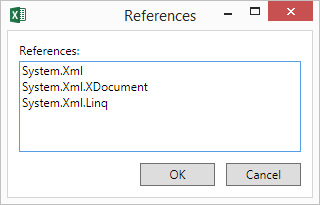
v1.7.0 lets you add references to external assemblies for your code. For assemblies in the GAC you can specify a short or a full name. For other assemblies you need to specify the full path. References are separated by new lines:

Download the installer.

Posted in Vlasov Studio tools | Tagged , | Leave a comment

Task Canvas v1.6 adds information exchange between tasks

The Task Canvas extension lets you edit multiple methods from different classes in one window and quickly switch between document groups.

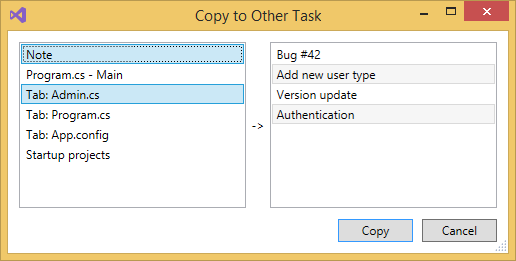
v1.6 adds the ability to copy notes, code blocks, tabs and startup projects from the current task to other tasks using the “Copy to Other Task” dialog:

See the full what’s new list. Download the installer.

Posted in Vlasov Studio tools | Tagged , , | Leave a comment

Tabs Studio v4.4.0 adds more add-ins to the installer

Tabs Studio is a Visual Studio and SSMS extension empowering you to work comfortably with any number of open documents.

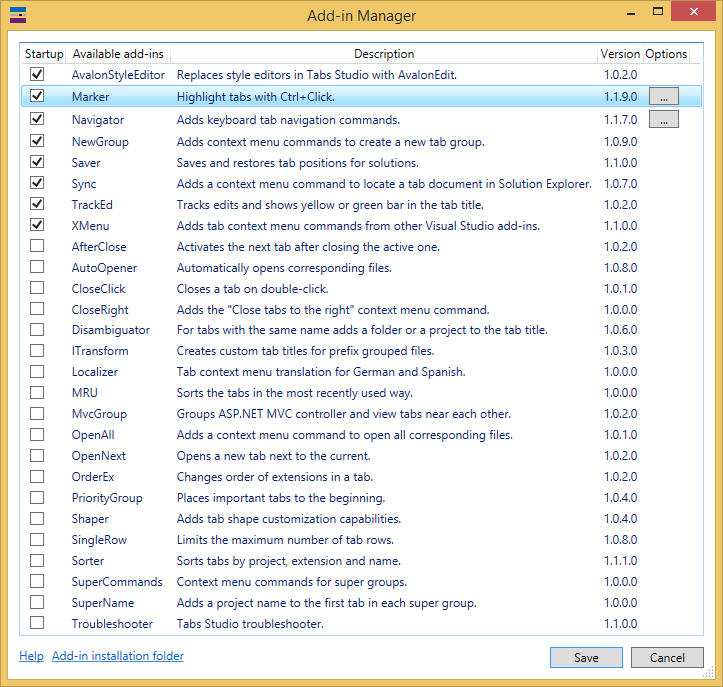
v4.4.0 adds AutoOpener, CloseClick, ITransform, Localizer, MRU, OpenAll, OrderEx and SuperName add-ins to the installer:

See the full what’s new list. Download the installer.

Posted in Vlasov Studio tools | Leave a comment

Innovative C# debugging experience with OzCode v4

Last week, in a Visual Studio Toolbox episode on Channel 9, Omer Raviv highlighted most useful features of the OzCode C# debugging extension for Visual Studio and announced upcoming version 4 introducing a live debugger accessible from a web browser.

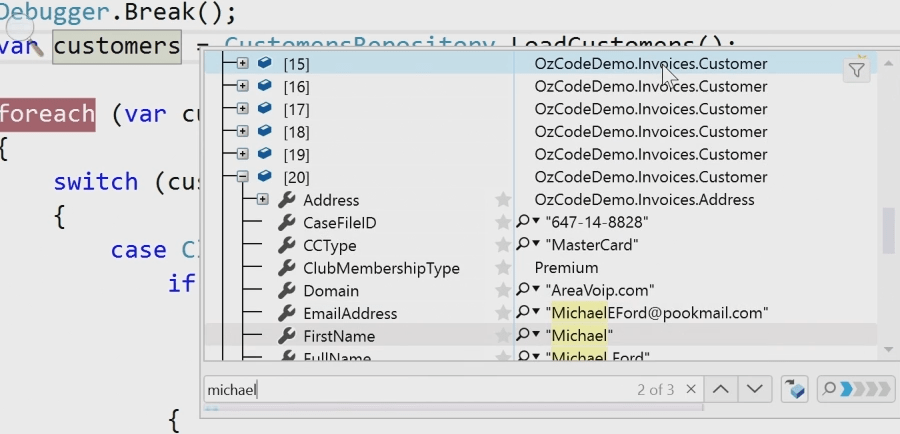
With OzCode you can quickly search member names and values in collections and complex objects during debugging:
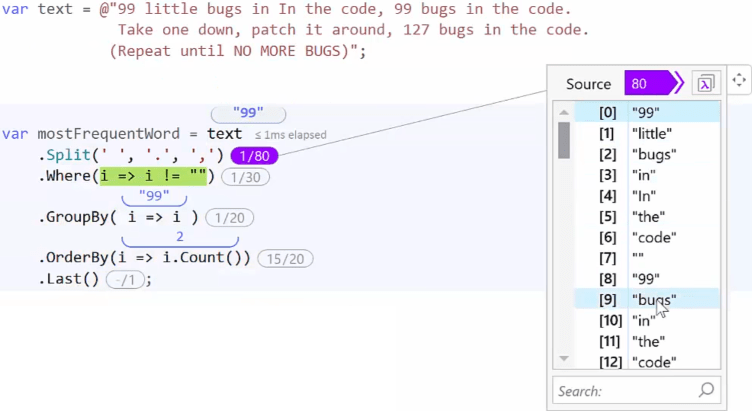
LINQ debugging and analysis visualizes how the different items passed through the LINQ pipeline. Indicators show you at-a-glance how many items were consumed by each LINQ operator, and how many were produced. The LINQ DataTip window shows the items the given operator produced:
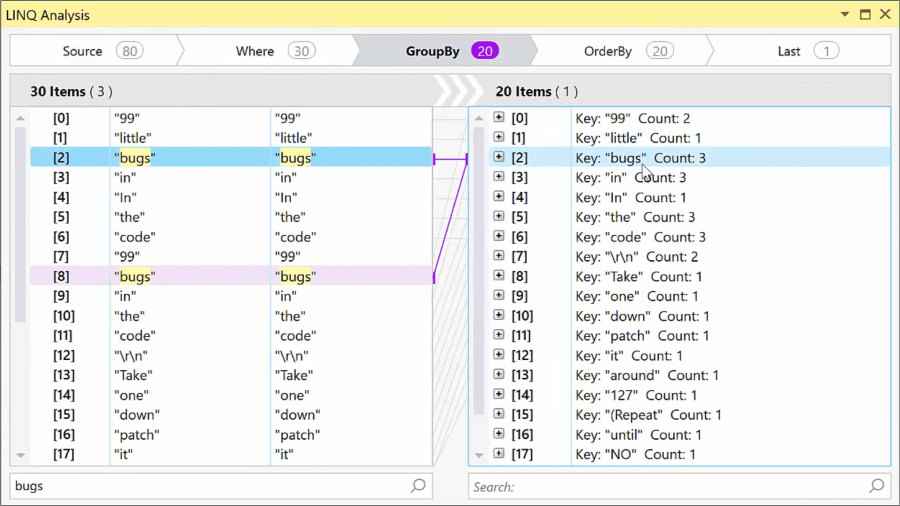
The detailed analysis tool window lets you navigate between the LINQ pipeline using the operator breadcrumbs and take advantage of the animation to visualize the flow of the LINQ query:
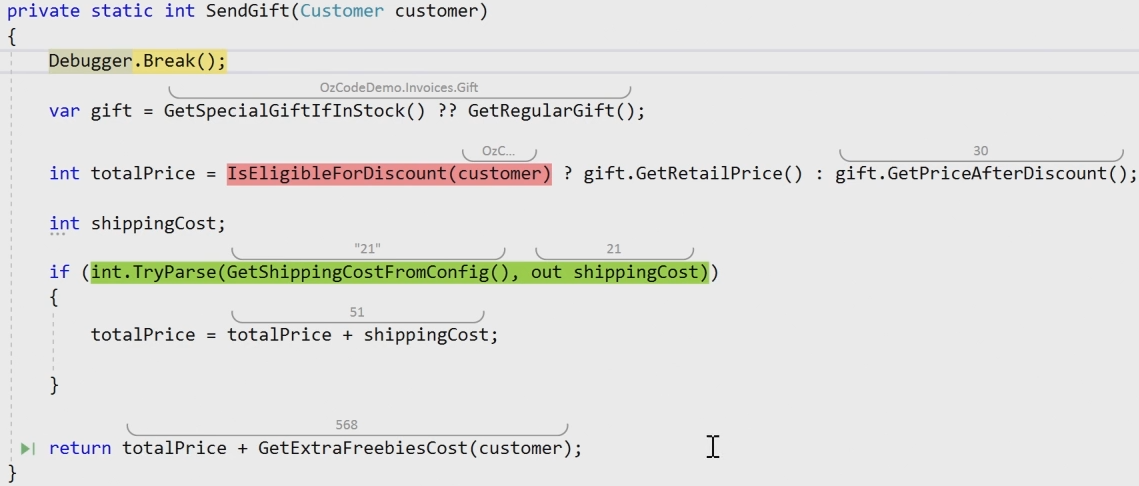
A new feature coming to v4 of the extension is live coding. It compiles and run code in background as you type and shows calculated variable values in line with code:

It predicts code execution, unlike classical historical debugging, and lets you change it on the fly. Any code changes in the editor are immediately reapplied after typing and update calculated values, all within a single debugging session. When code with side effects is detected – execution stops.

[As a side note, live coding in Visual Studio was first implemented in 2015 by Josh Varty and Amadeus Wieczorek as the Alive extension. You can see it in action in a Codemash 2016 episode on Channel 9:

It worked in normal coding mode, not during debugging, and allowed to enter values for function parameters or extract them from unit tests. Later in 2016 the developers joined Microsoft and the extension was unfortunately discontinued. Then VS 2017 introduced Live Unit Testing which provides real-time feedback directly in the editor on how code changes are impacting your unit tests and your code coverage.]

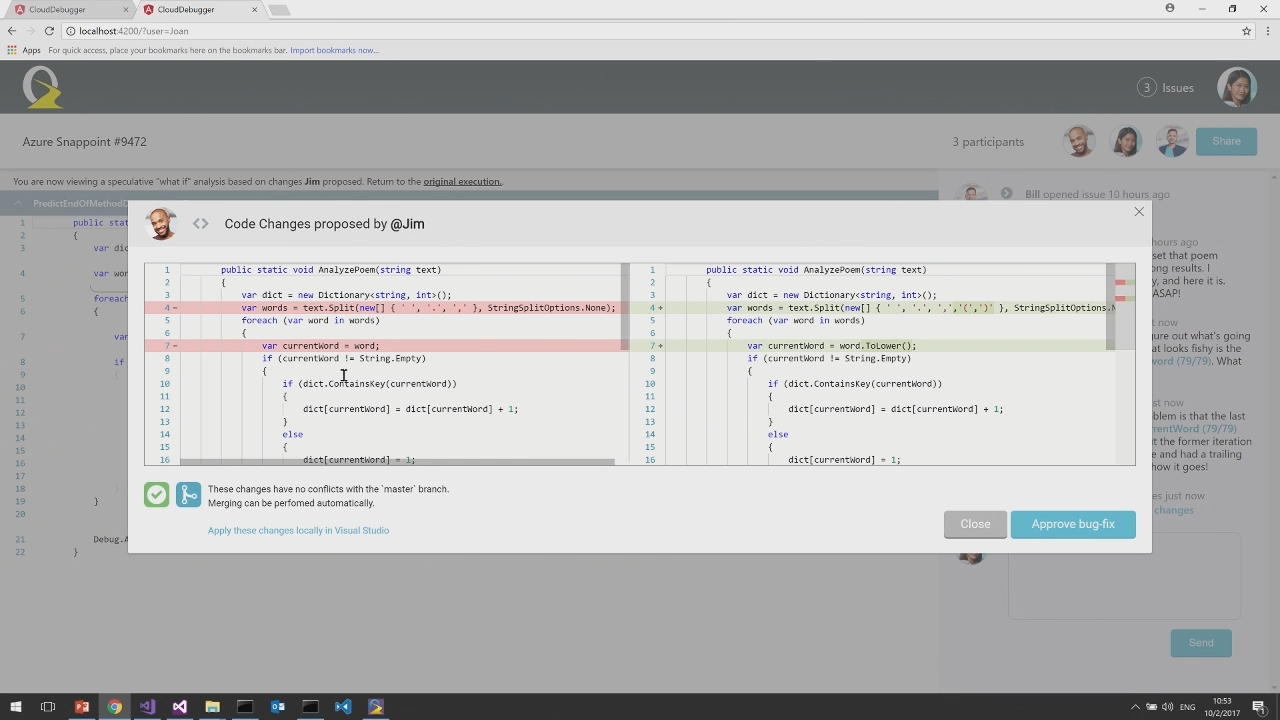
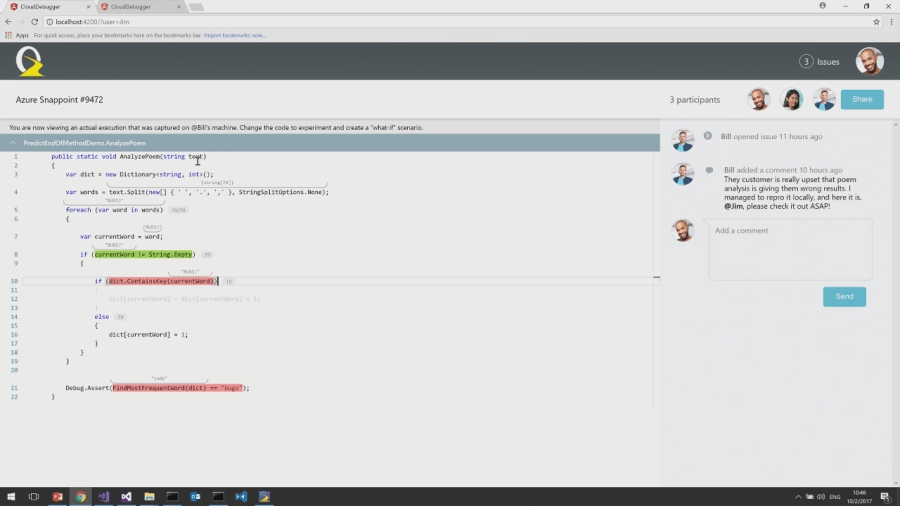
Another upcoming OzCode v4 feature is collaborative debugging. It will allow you to share your current debug session with other people, not even necessarily having Visual Studio installed, using OzCode cloud debugger. Your colleagues will be able to interact with code from a web browser – view an actual execution that was captured and change the code to experiment:
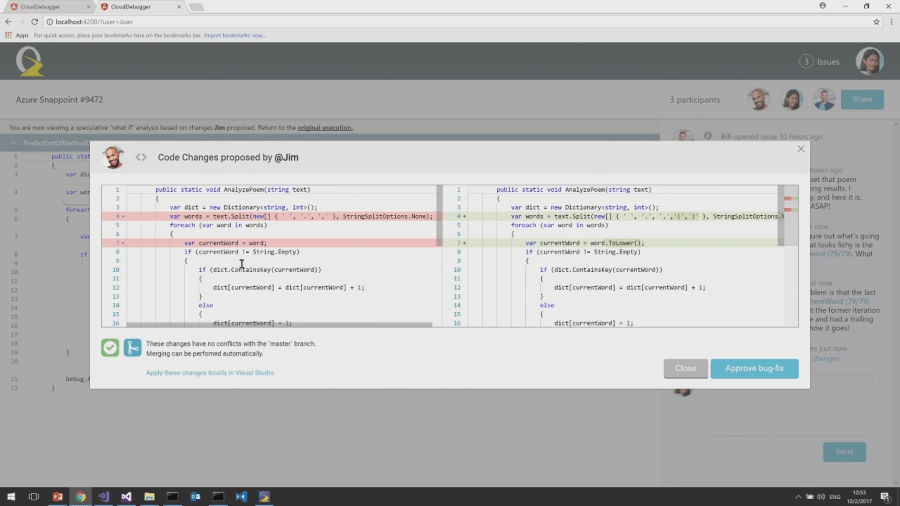
OzCode version control system integration allows proposing and approving final code changes also from the same browser window:
See the full episode for more details. A personal OzCode license for 1 year currently costs $100.

Posted in Reviews | Tagged , , , | Leave a comment